Windows Sound Not Working? Fix No Audio in 5 Steps
Windows audio no sound troubleshooting guide with quick checks for mute, output device and cable connections.
Most computer users can face this problem. There could be many problems that could cause this. In this article, we’ll examine solutions deeply. Let’s start.
Firstly, let’s check if everything is ok:
- Look at the bottom right sound icon. If you see it muted 🔇, we need to unmute the sound.
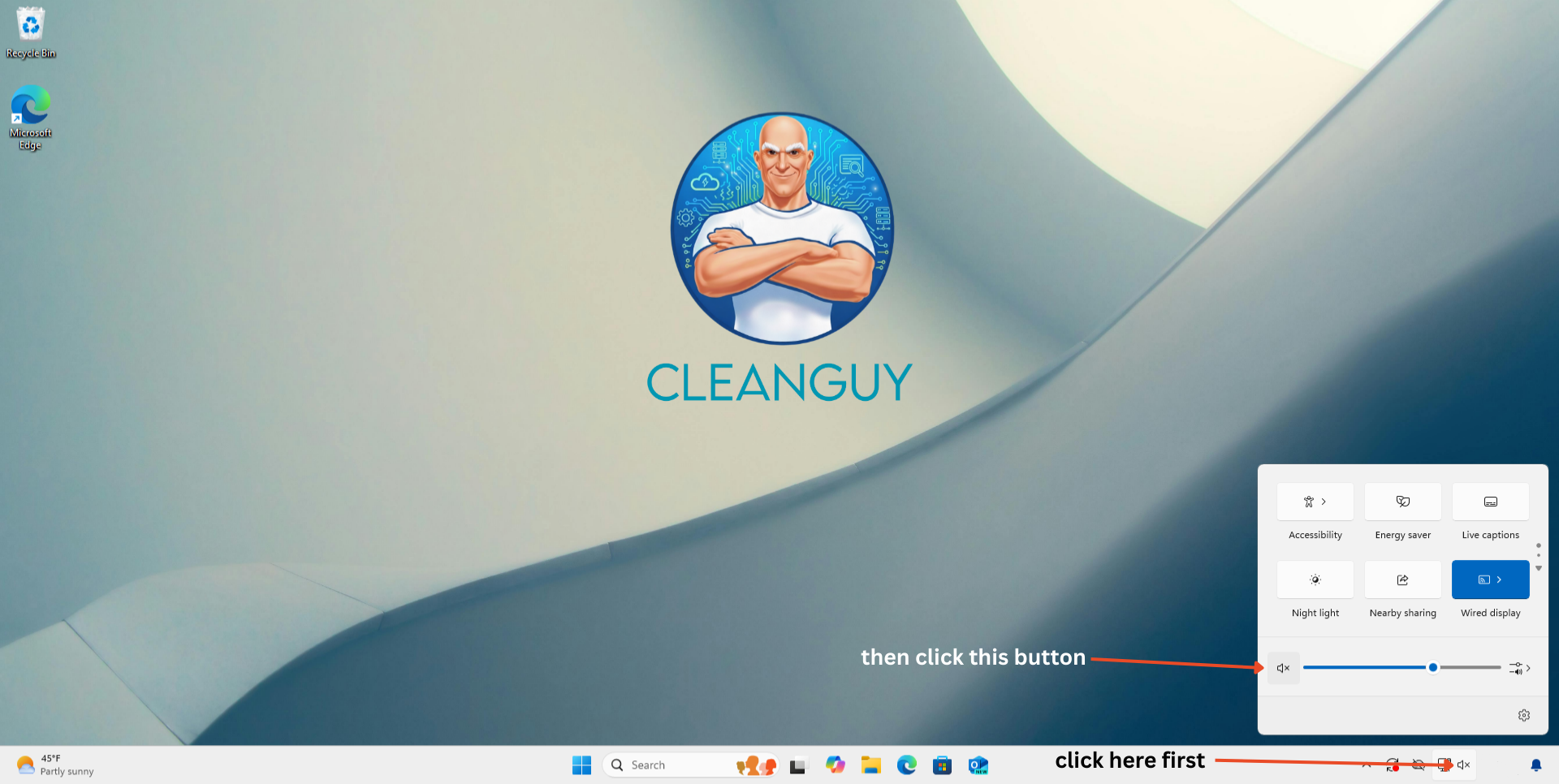
Usually, people do not pay attention to small mistakes, but if your problem is much bigger than this, let’s continue.
After this, you need to ensure that you choose the right output device because sometimes Windows changes this automatically, or you can change it accidentally, and this causes your computer to mute.
In order to check the output devices, follow the directions:
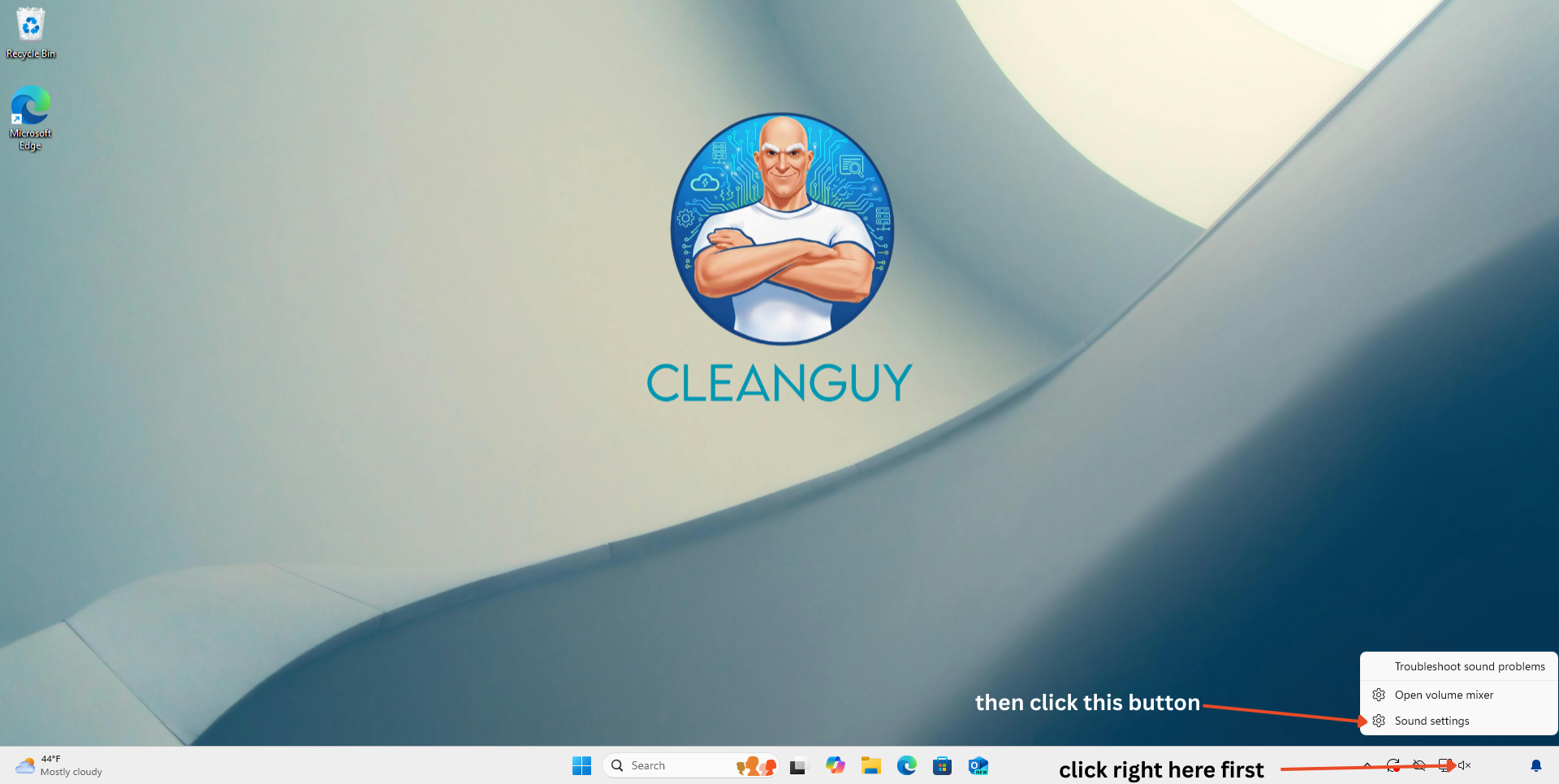
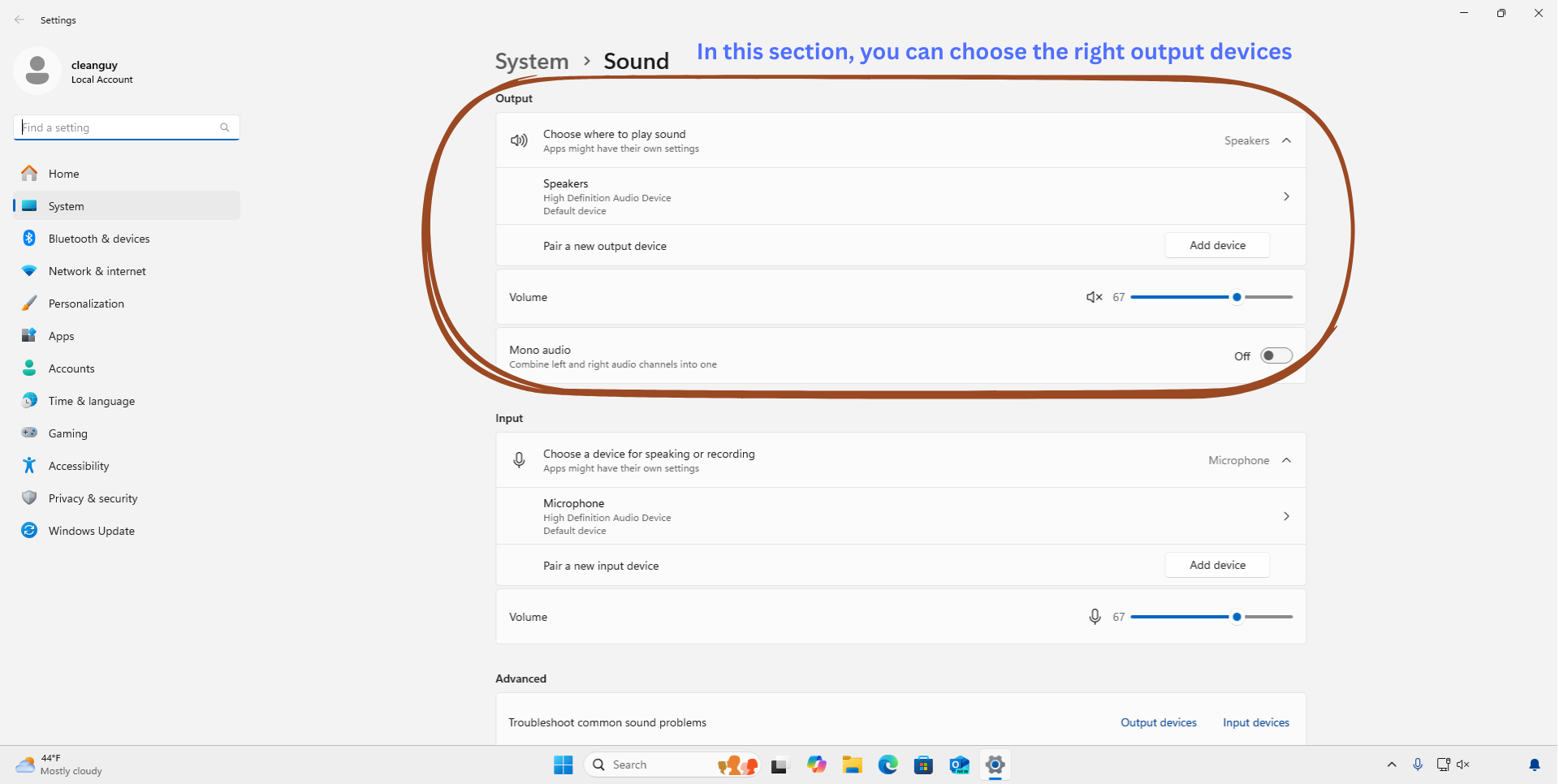
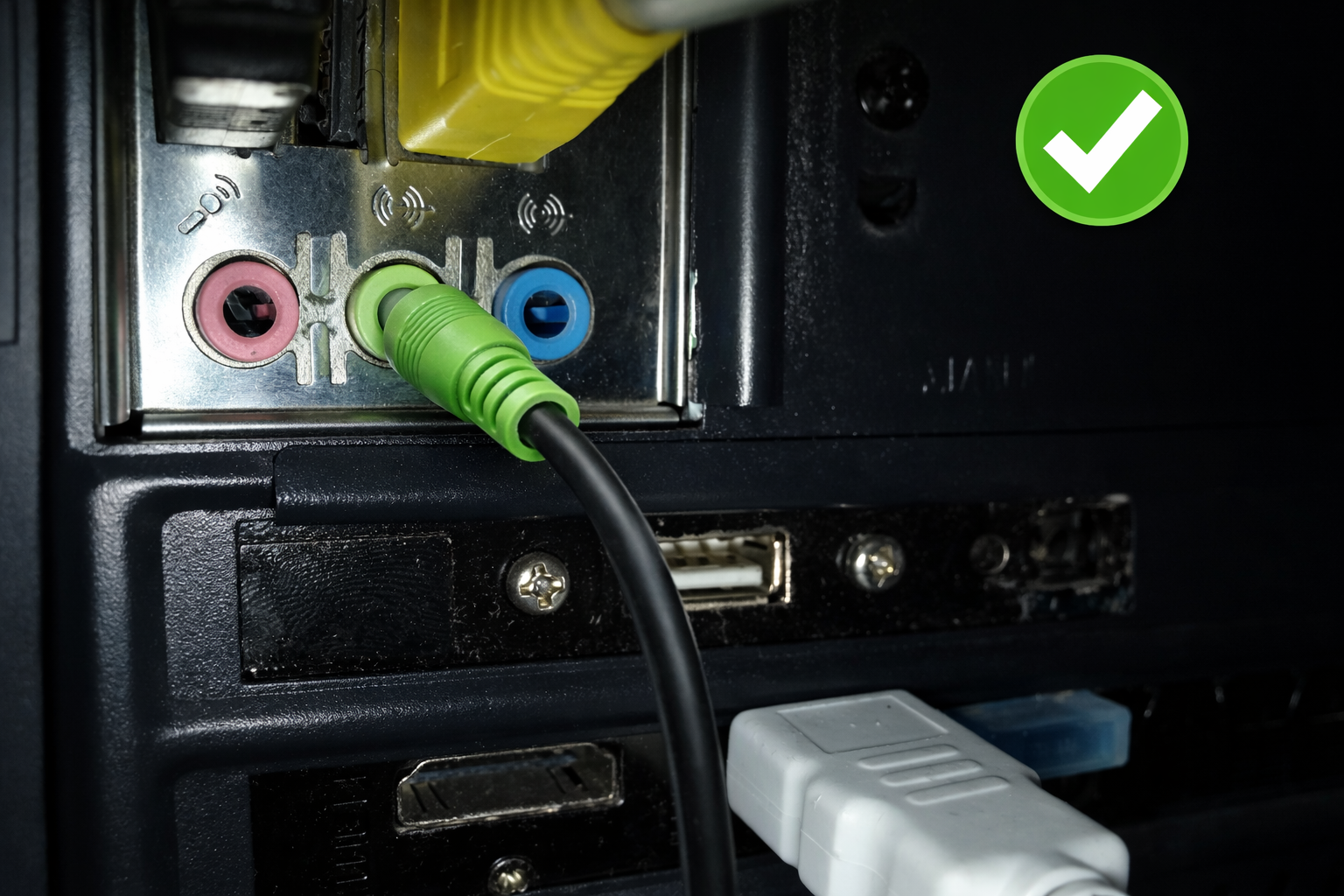
If choosing the right device does not fix your sound or is already correct, you need to control your computer physically because maybe your cable plug is out. If you are using a speaker make sure that you have connected the cable correctly. Look at this picture:
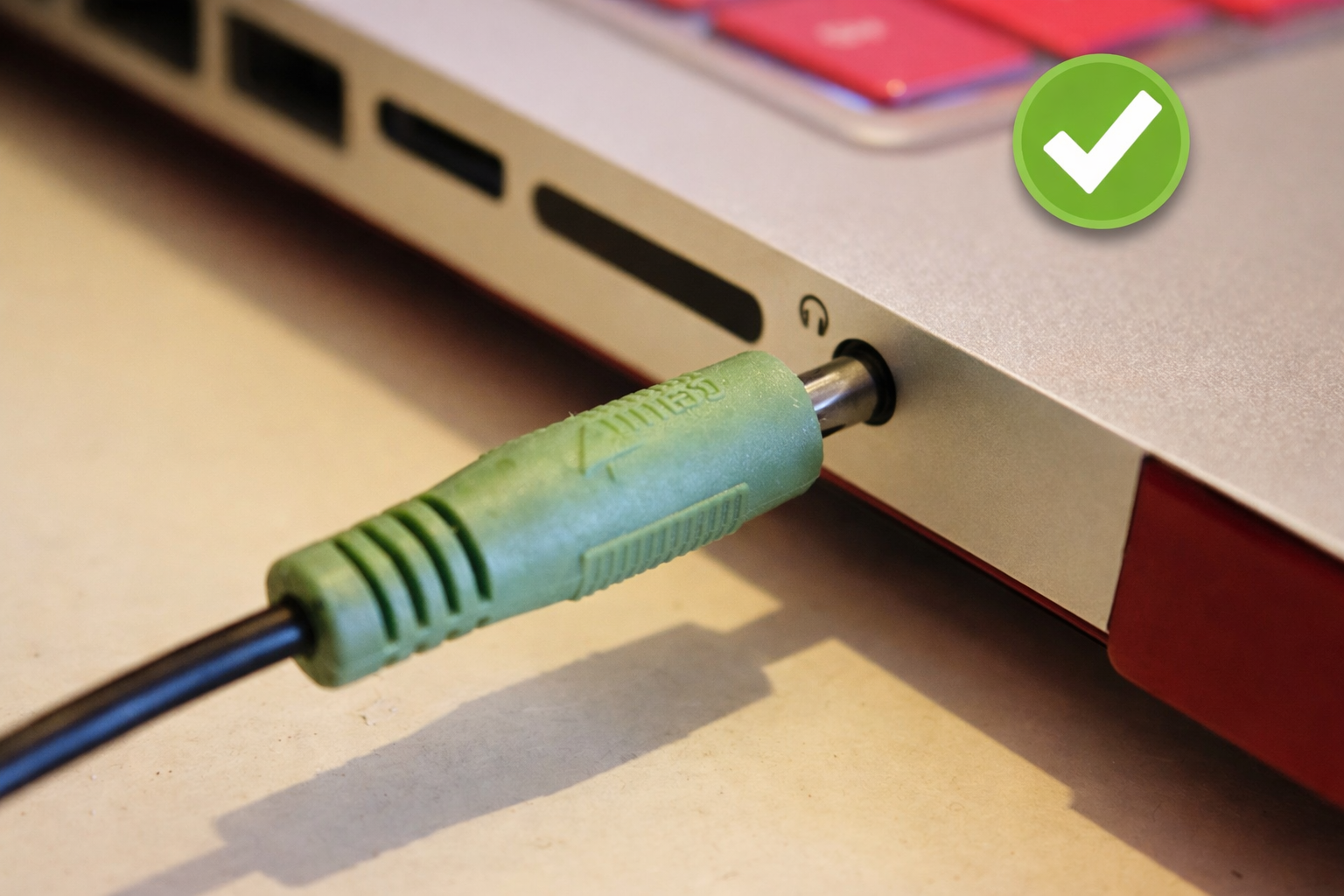
Result: After checking mute status, output device and cable connection, test sound again with a media file or YouTube video.